1. Since Keycloak is made in Spring (a Java-based framework), ensure that you have the Java JDK installed (at least version 11) by running the following command:
root@raspberrypi / [1]# java --version
openjok 17.0.7 2023-04-18
OpenJDK Runtime Environment (build 17.0.7+7-Debian-1deb11u1)
OpenJDK 64-Bit Server VM (build 17.0.7+7-Debian-1debilu1, mixed mode, sharing)
root@raspberrypi /#2. If that command does not print any output, you don’t have a Java JDK installed. You can install the Java OpenJDK with your package manager. In Debian, it should be something like this:
root@raspberrypi / [SIGINT]# sudo apt install default-jdk default-jre3. Download the latest Keycloak release from their GitHub repository (it may take a few seconds to download):
root@raspberrypi ~# wget https://github.com/keycloak/keycloak/releases/download/22.0.4/keycloak-22.0.4.tar.gz2023-10-18 21:54:49,552 INFO [org.keycloak.quarkus. runtime.hostname.DefaultHostnameProvider] (main) Hostname4. Untar the Keycloak release:
root@raspberrypi ~# tar -xzvf keycloak-22.0.4.tar.gz5. A new directory called something like “keycloak-{version}” should be generated; go to that directory:
root@raspberrypi ~# cd keycloak-22.0.46. Run the script located in bin/kc.sh to start the server, and specify an admin username and password (you only need to specify these credentials once, in subsequent runs, they are no longer needed) (if you don’t specify the port, it will use the 8080 port, please note that the first time it may take a while to start):
root@raspberrypi ~/keycloak-22.0.4# KEYCLOAK_ADMIN=admin KEYCLOAK_ADMIN_PASSWORD=uwu ./bin/kc.sh start-dev7. And that’s it! now you can enter your Keycloak instance through http://localhost:8080 from the host computer (or with the host’s computer IP address from other devices)
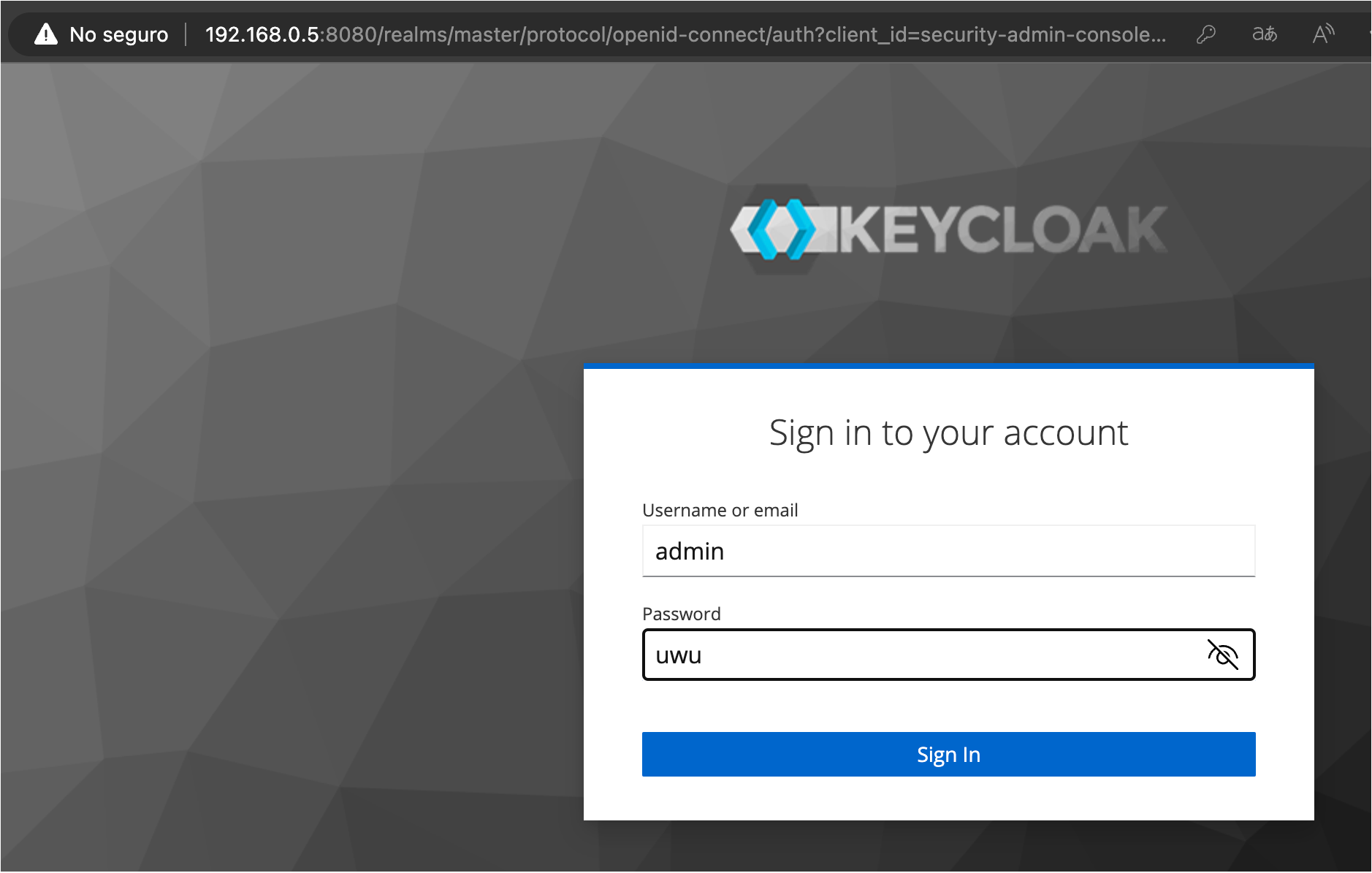
8. Create a Node JS project by running the following command. (if you don’t have Node JS installed, you can download it from here: https://nodejs.org/.)
root@raspberrypi ~/tutorialKT# npm init9. Install Keycloak-Typescript by running the following command:
root@raspberrypi ~/tutorialKT# npm install keycloak-typescript10. And that’s it! now you can learn how to use the library on their documentation page: https://github.com/krasamo/keycloak-typescript/blob/main/docs/USAGE.md





Love dis post! just wanna add dat deploying keycloak on debian is defo a breeze with these steps 😎
I’ve deployed keycloak on debian before and i gotta say, the doc could be more detailed. last time i had to work with it, i was stuck for like 2 hours trying to figure out why the kc.sh script wasn’t working 🤦♂️. turned out it was a permission issue with the bin/kc.sh file. after that, i worked with an aws consultancy to get keycloak integrated with our node.js app using keycloak-typescript. their documentation is way better than this tutorial, btw. anyway, thanks for the basic setup guide tho! 👍
I completely agree that proper setup is crucial for effective integration with Node.js. Have you considered utilizing cloud consulting services for optimal deployment?
Honestly, I’ve done this a million times before. Just wanted to add that you might also want to configure your Keycloak instance for production mode, not just the default development one. Also, if you’re planning on integrating with Node.js, make sure to check out the official Keycloak-Typescript library and follow their documentation. A keycloak tutorial isn’t complete without a proper explanation of these essential steps! 😒
I completely agree with the importance of proper Java setup for deploying Keycloak on Debian! It’s worth noting that if you’re planning to scale your deployment, leveraging cloud consulting services can help optimize performance and security. Additionally, using a containerization platform like Docker can simplify the process of managing dependencies and versions. Great tutorial, keep it up!
I’m glad I stumbled upon this excellent tutorial on deploying Keycloak on Debian and integrating with Node.js via Keycloak-Typescript! 🙌 As a seasoned software architect, I must say that the instructions are clear and concise. For those who may be looking for more guidance or require expert assistance, consider engaging with an AWS consultancy to ensure seamless integration with their cloud infrastructure. Great job on creating this resource! 👏
Love this tutorial, very helpful for a Keycloak newbie like me! I’d just like to add that if you’re planning to deploy your Keycloak instance in the cloud, consider using an AWS consultancy service like AWS Managed Services to get expert advice on security and scalability. Also, make sure to update the keycloak.json file with the correct realm settings for Node.js integration. Great job on this tutorial!
I’m glad to see you’re enthusiastic about keycloak deployments! As an expert in Cloud infrastructure, I’d like to add that using a cloud provider’s managed services for Keycloak can streamline the deployment process. Additionally, consider utilizing tools like Ansible or Terraform to automate the deploying keycloak setup. This will enable a more efficient and scalable integration with Node.js via Keycloak-Typescript.