




Table of Content
- What Is the Model Context Protocol?
- Why MCP Matters for Enterprise AI
- How MCP Works: Host, Client, Server, and External Systems
- MCP Building Blocks: Tools, Resources, and Prompts
- How an MCP Connection Starts and Runs
- Local and Remote MCP Servers
- Security, Authorization, and Auditability
- Testing and Operating MCP in Production
- Enterprise MCP Use Cases
- Planning a Custom MCP Development Effort
- MCP as a Foundation for Connected AI Systems
Enterprise AI becomes more useful when an assistant can work with the systems behind the request. A support manager may ask why a customer issue is still unresolved. To help, the assistant may need the account record, the open ticket, relevant product documentation, and permission to draft a response or create a follow-up task.
Building those connections one at a time creates maintenance pressure. Companies run work across CRMs, ERPs, ticketing tools, cloud services, document repositories, databases, and internal applications. When every AI feature gets its own connector, teams repeat the same work across authentication, data mapping, permissions, error handling, and system updates.
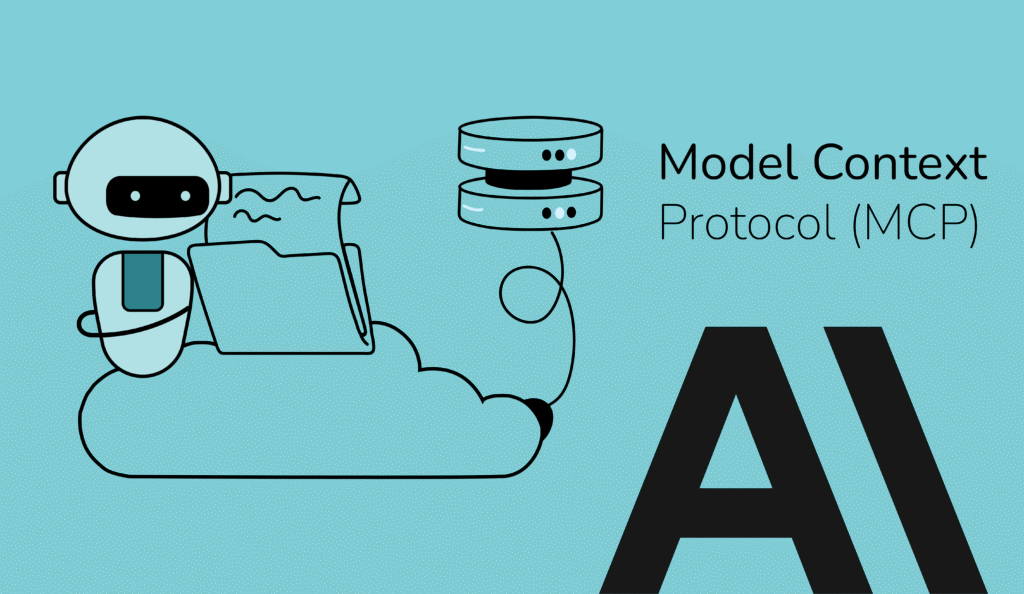
Model Context Protocol, commonly known as MCP, provides a standardized protocol for AI applications to communicate with external capabilities through MCP servers. Those servers expose selected tools, contextual resources, and reusable prompts while keeping each system’s implementation details behind a defined interface.
The protocol creates a path between the assistant and external systems. The implementation defines what the assistant may use, which actions require approval, how sensitive information is protected, and how activity is monitored. This is where architecture matters: teams need clear boundaries around capability, data, workflow rules, and operational control.
With those boundaries in place, MCP can support enterprise AI assistants, agents, and copilots that need reusable interfaces to business systems.
What Is the Model Context Protocol?
Model Context Protocol is an open standard for connecting AI applications with external systems. It defines how an AI host communicates with MCP servers that make selected capabilities available.
An MCP server can represent a document store, SaaS platform, internal API, code repository, database, or workflow service. Through the protocol, the host, through its MCP client, can discover what the server offers and decide how those capabilities should appear in the user experience.
At a practical level, MCP organizes interaction around three main server-provided building blocks: tools, resources, and prompts. A tool can create a ticket or query a database. A resource can provide a file, record, or document. A prompt provides reusable prompt templates and structured user interactions that the client may present to users. Later sections explain each one in more detail.
The “USB-C for AI” analogy is useful because it captures the standardization goal. USB-C standardizes the port while each device keeps its own function. MCP plays a similar role for AI applications and external capabilities.
That analogy has limits in enterprise settings. A connector standard can simplify implementation; permissions, approval rules, data exposure, monitoring, and business logic still require deliberate design.
MCP also works alongside other parts of the AI stack. Agents may invoke MCP tools during a task, while retrieval systems expose approved knowledge through MCP resources, and existing APIs may sit behind MCP servers. The surrounding application still handles model behavior, retrieval quality, workflow rules, identity, monitoring, and governance.
Why MCP Matters for Enterprise AI
When an AI assistant supports a real workflow, usefulness depends on the information and permissions available at that moment. A product manager asking about release readiness may need current work items, open defects, deployment status, and a controlled way to create a follow-up task.
As AI adoption spreads, integration becomes a portfolio problem. A first assistant may need one knowledge source. A second may need service history. A third may need project data or workflow actions. When teams solve each use case separately, every project creates its own path into the business environment, along with its own testing, security review, monitoring, and maintenance burden.
MCP gives teams a way to define reusable capabilities. A focused MCP server can expose a specific business function once, such as searching approved documentation, retrieving account context, querying a dataset, or creating a ticket. Other AI applications can use that capability through the same protocol, with controls adapted to the user, workflow, and risk level.
This reuse changes how organizations plan AI systems. Teams can treat integrations as shared building blocks that are easier to version, test, secure, monitor, and improve. The AI experience can evolve separately from the systems that provide data or perform actions, which makes future assistants and agents easier to support.
The larger value is scalability. MCP can help organizations move from isolated AI features toward a reusable integration layer that can support new use cases without rebuilding the same connections each time.
How MCP Works: Host, Client, Server, and External Systems
A typical MCP interaction moves through a defined chain:
User → AI Host → MCP Client → MCP Server → External System
The user begins inside an AI host. This may be an assistant, IDE, enterprise copilot, desktop application, or custom AI interface. The host manages the user experience, model interaction, permissions, consent, and the MCP client connections needed for the task.
The MCP client runs under the host’s control. It handles the protocol connection to an MCP server, including message exchange, capability negotiation, notifications, and session state. When a host connects to several MCP servers, each connection is handled separately, which helps keep boundaries easier to manage.
The MCP server exposes a focused set of functions and information. It may provide tools, resources, or prompts tied to a specific business domain, such as support, analytics, documentation, software development, or operations. Behind the server sits the external system: the database, API, file repository, SaaS platform, workflow service, or internal application that holds the actual data or performs the action.
For example, a finance assistant may need to check the status of a purchase request. The host receives the user’s question, the request passes through the MCP client to the server, and the server calls the procurement system behind it. The result returns through the same path, and the host decides how to present the information or whether another approved step is needed.
This separation is useful in enterprise environments. The host controls the user interaction and model behavior. The client manages the protocol session. The server defines what is available. The external system remains the source of record. With those roles separated, teams can design, secure, test, and update each layer with clearer responsibility.
MCP Building Blocks: Tools, Resources, and Prompts
After the host, client, and server roles are clear, the next question is what an MCP server should expose. In most enterprise use cases, the answer falls into three groups: tools, resources, and prompts.
Tools allow an AI application to request an operation through an MCP server. A tool may query an account record, search approved documentation, create a support ticket, run a calculation, update a CRM field, or call an internal API. Because tools can interact with real systems, they need clear names, input requirements, output structure, permission checks, validation, and logging. Sensitive actions should also include user confirmation or review before execution.
Resources provide context. A resource may be a file, document, database record, schema, report, log, product specification, or other piece of information the AI application can use to answer a request. The host decides how that context appears in the user experience and when it should be passed to the model. For custom implementations, resources should be appropriately scoped, permission-aware, and represent information that is suitable for the intended workflow so the assistant works with the right information under the right conditions.
Prompts package repeatable task instructions that users can explicitly select or invoke. They can help teams standardize common work such as summarizing an incident, reviewing a pull request, analyzing a customer account, preparing a compliance checklist, or drafting a support response. A prompt can include arguments or placeholders so the same task pattern can adapt to different situations.
The distinction matters during design. Treating a database lookup, a document reference, and a repeatable review pattern as the same kind of capability makes an MCP server harder to test, secure, and maintain. During implementation planning, teams should decide which business functions deserve tool access, which information should be exposed as resources, and which recurring tasks should become reusable prompts.
How an MCP Connection Starts and Runs
An MCP connection begins with initialization. During this step, the client and server agree on the protocol version, exchange implementation details, and declare what each side can support during the session.
Those declarations shape how the connection behaves. A server can expose tools, resources, prompts, logging, or related capabilities. A client can support workspace boundaries, user-input requests, model interactions, or other client-side behavior. The exact set depends on what both sides can handle, so custom implementations need to account for version differences and unavailable capabilities.
After initialization, the client and server operate through a session. In practical terms, the connection carries agreed rules across the exchange: which version is in use, which capabilities are available, and which updates or notifications may occur. A server can notify the client of changes to tools, resources, or prompts when both sides advertise support for those notifications during capability negotiation.
Lifecycle design affects reliability. Teams need to decide how the system handles version differences, unavailable servers, request timeouts, long-running operations, cancellation, and errors. These decisions shape how predictable the integration will be once it supports real users and production workflows.
Local and Remote MCP Servers
Once a team decides what an MCP server should expose, the next design question is where that server should run. MCP servers can support local workflows, shared enterprise systems, or a mix of both.
A local MCP server runs close to the user’s environment. This pattern is useful when an AI application needs controlled access to files, project folders, developer tools, or desktop workflows. For example, a coding assistant may use a local server to inspect a repository, read configuration files, or help organize project assets inside an approved workspace.
A remote MCP server runs as a network-accessible service. This pattern is better suited for shared business systems, cloud platforms, internal APIs, databases, SaaS tools, and workflows used across teams. A remote server can provide a common interface to enterprise data or actions without requiring every user to install and maintain the same integration locally.
The choice affects more than deployment. Local servers raise questions about device configuration, workspace boundaries, file permissions, and user approval. Remote servers require stronger attention to identity, authentication, authorization, tenant separation, monitoring, rate limits, and operational support.
Many enterprise MCP strategies will use both patterns, with the deployment model chosen according to the system being connected, the sensitivity of the data, and the level of control the workflow requires.
Security, Authorization, and Auditability
Security becomes central when an MCP server gives an AI application access to business systems. A server may expose customer records, project files, internal tools, workflow actions, or operational data. Each connection needs clear limits on who can use it, what information can be returned, and which actions require approval.
Authorization should match the user, the AI host, and the system being accessed. For HTTP-based remote MCP servers, the specification defines an optional OAuth 2.1 authorization framework for protected resources. A support assistant, for example, may read ticket history but require confirmation before updating a case. A software assistant may inspect a repository while file changes or pull request creation require stronger controls.
Tool design deserves special attention because tools can perform work in external systems. A tool description may help the model understand when to use it, but security should come from validation, access checks, review flows, and audit records. Inputs should be checked before execution, outputs should be handled carefully, and sensitive operations should be visible after they occur.
AI-specific risks add another layer. Prompt injection, unsafe tool use, excessive data exposure, and confused permission boundaries can appear when an assistant receives instructions from users, documents, or connected systems. Server design should contain the authority of each tool so one source of context cannot quietly expand what the assistant is allowed to do.
Auditability gives teams a way to review how MCP-enabled workflows behave in practice. Users and operators should be able to understand which server was used, what action was requested, what data was returned, and whether approval was required. That record helps teams investigate errors, improve controls, and support connected AI workflows with greater confidence.
Testing and Operating MCP in Production
Once MCP servers connect AI applications to business systems, teams need a way to test and operate those connections with confidence. A server may work in a demo, but production use introduces incomplete requests, unavailable systems, permission changes, unexpected user behavior, and actions that may need review before they proceed.
Before deployment, testing should cover the full path from the AI host to the external system. Teams need to confirm that tools accept the right inputs, return useful outputs, handle errors clearly, and respect access rules. They should also test what happens when a user lacks permission, when a connected system is down, or when a request asks for an action outside the approved scope.
During operation, teams need visibility into where a request succeeds, slows down, or fails across the host, client, server, authorization layer, and downstream business system. That means tracking errors, latency, timeouts, retries, degraded services, and unexpected tool behavior without relying only on the final answer shown to the user.
Production readiness also depends on clear logging, retry behavior, rate limits, error handling, rollback options, and support processes. These controls help teams manage MCP-enabled workflows when systems change, integrations fail, or usage grows beyond the original pilot.
A reliable MCP implementation is built through controlled rollout. Teams can start with read-only capabilities, limited users, or low-risk workflows before expanding into actions that change records, trigger approvals, or affect customer-facing operations.
Enterprise MCP Use Cases
MCP fits use cases where an AI application needs trusted context from business systems and a limited set of approved actions. The strongest candidates are bounded enough to control and valuable enough to reduce friction in daily work.
In customer operations, an assistant can help prepare an escalation response by bringing together warranty terms, recent orders, service notes, and relevant product guidance. The user stays in control of the final message, while the assistant reduces the time spent gathering background information.
In finance or business operations, MCP can connect an AI application to approved datasets, metric definitions, planning documents, or reporting workflows. A team could ask for an explanation of a revenue variance, a summary of open purchase requests, or a draft of a monthly operating review based on controlled sources.
Product and engineering teams can use MCP to connect AI tools with repositories, issue trackers, design files, documentation, and release systems. The use case may be as narrow as preparing a release summary or as practical as creating a follow-up issue after a review. The key is that the action remains tied to defined permissions and team workflow.
In compliance, procurement, and legal operations, MCP-enabled assistants can compare records against policy, surface missing information, prepare checklists, or route work for review. These areas benefit from repeatable task patterns because the assistant can help organize the work without bypassing the required judgment or approval step.
Industrial, IoT, and field-service environments can use MCP to connect AI applications with device data, maintenance records, alerts, and operational procedures. An assistant may summarize equipment status, explain a recurring alert, or prepare a service recommendation for review by an operator or technician.
Across these examples, the best MCP opportunities share a few traits: the user is clear, the systems are known, the available actions are limited, and the review points are defined. That makes the use case easier to design, secure, test, and expand over time.
Planning a Custom MCP Development Effort
A successful MCP effort starts with the business process. The team needs to understand who will use the AI application, what task they are trying to complete, which systems are involved, and where human review or approval is required. That gives the implementation a business boundary before any server is designed.
From there, the server’s responsibility can be defined more precisely. A useful MCP server should have a focused purpose, such as supporting customer operations, internal knowledge access, software delivery, analytics, or field-service workflows. A broad server that exposes too many unrelated systems becomes harder to secure, test, explain, and maintain.
With the boundary set, the workflow can be translated into an MCP surface. Steps that require execution become candidate tools. Information the assistant needs to reference becomes candidate resources. Repeated procedures, such as preparing an intake summary or guiding a review checklist, may become reusable prompts. The goal is to expose only the capabilities that support the workflow, rather than everything the connected system can do.
The security model should be designed alongside the capability model. User roles, scopes, approval rules, data sensitivity, and audit requirements shape what the AI application can use and when. Sensitive actions may need confirmation, while read-only access may still require permission checks and logging.
Testing should follow the choices made in the workflow, capability, and security design. If a tool creates a task, teams should test who can submit it, what happens when required fields are missing, and how the system responds when the downstream service rejects the request. If a resource exposes sensitive records, teams should test whether unauthorized users are blocked and whether the assistant handles missing context gracefully.
A practical rollout usually starts small. Teams can begin with a narrow use case, limited users, and low-risk capabilities, then expand as the server proves reliable. Over time, the same MCP foundation can support additional workflows, new AI hosts, and deeper connections to business systems.
In some implementations, the MCP layer can also support cost and performance controls by limiting unnecessary context, reusing approved resources, routing requests to the right model or service, and giving teams better visibility into how AI workflows consume tokens.
For organizations working with proprietary systems, regulated data, or multi-system workflows, custom MCP development becomes valuable when the AI integration needs to reflect how the business actually operates. Krasamo helps organizations design and build custom MCP servers and governed AI integrations around those environments.
MCP as a Foundation for Connected AI Systems
MCP gives organizations a practical way to connect AI applications with the systems, data, and workflows that make them useful. It creates a standard path for exposing tools, resources, and prompts through defined server interfaces, which can reduce the need for repeated one-off integrations.
MCP is best understood as the connection layer in a broader AI architecture. It gives AI applications and agents a structured route to external capabilities, while the surrounding systems define how that route is governed, tested, monitored, and used in real work.
For companies exploring enterprise AI, the value comes from choosing the right business capabilities to expose, securing them carefully, and expanding only after the system proves reliable in practice. Custom MCP development brings integration engineering, security design, and workflow planning together so AI applications can operate with the context, control, and reliability needed for enterprise use.
References:
Model Context Protocol — Specification, Version 2025-11-25.
OpenAI Developers — Build your MCP server.
OWASP GenAI Security Project — 2025 Top 10 Risks and Mitigations for LLM and GenAI Applications.