




Table of Content
The importance of UX Designer Tools
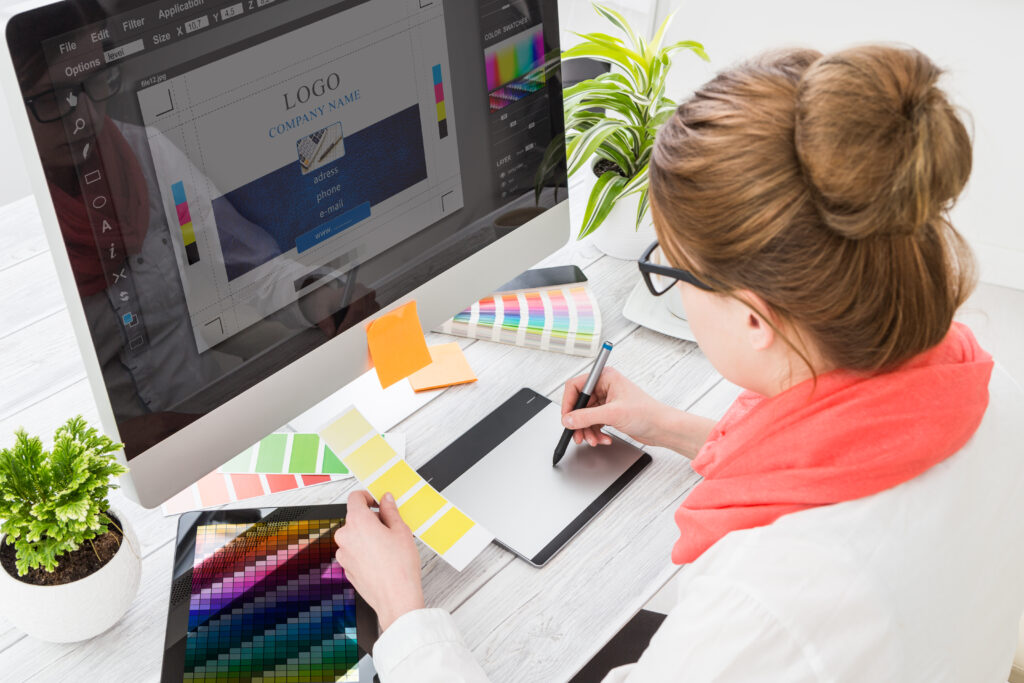
Building a solid reputation as a designer takes years of patience, hard work, and dedication to your craft. Whether you are building a career as a UX designer (user experience) or a graphic designer, the UX designer tools you use can have a significant impact on your success rate. Thanks to developers within the design space, there are more tools than ever before for designers like yourself. Review the following roundup of top tools for designers to see which ones will make it to your designer’s must-use list.
Ludus
If you want to take your digital presentation skills to the next level, consider integrating Ludus into your design repertoire. Their awesome interface lets you incorporate everything from videos to Dropbox files and virtual reality components into your design presentations. Ludus works with multiple resources including InVision, SoundCloud, Framer, Figma, and YouTube. Editing and slide syncing are super simple. Ludus offers a myriad of additional features for designers including drag-and-drop content creation, PDF/HTML exporting, and team collaboration. Once you discover Ludus for your UX and graphic design needs, you’ll wonder why you ever wasted precious time on laborious tasks in the past.
Lottie
If you want to quickly add animation to your designs, discover Lottie. Available from Airbnb, Lottie lets you integrate multiple animations into your code creations and customize your designs as needed. Add layers, patterns, and cool text animations without needing to create code from scratch. Animate anything from your login screens to brand logos for your clients.
Mock-up Generator
Creating design mock-ups is part of your job as a designer. Whether you are showing a client potential UX designs for their mobile app or showcasing your proposed website design to a client, you’ll often need to show customers how their design will look on a digital device. Available from App Launchpad, Mock-up Generator makes it easy to highlight your creations on a variety of devices. With 1,000 templates to choose from, you can highlight your work and tweak everything from your fonts to your background images. Mock-up Generator lets you download your designs, format resolutions to suit your needs, and show your designs in a variety of settings. Whether you’re creating a design for an iPhone, iMac, or smartwatch, Mock-up Generator has you covered.
Really Good UX
If you want to become a better designer, reviewing the work of other talented designers is a smart tactic. Really Good UX makes is super simple to view the user experience designs of others for anything from user onboarding flows to tool tip designs and up-sell prompts. Peruse the designs you’ll find on Really Good UX and you’ll be impressed at how quickly you feel inspired to improve the designs you offer clients.
Buy Me a Coffee
Showcasing your design talents can often feel like you’re constantly creating but not necessarily earning revenue for your talents. Thanks to Buy Me a Coffee, you can now accept donations from admirers of your work. Buy Me a Coffee lets you create a landing page for fans to peruse and accept donations via Stripe or PayPal. Share your Buy Me a Coffee URL on social media to help potential patrons discover your design talents. Whether you want to earn tips for your UX designs, animations, illustrations, or even your photography, you can connect with your fans and receive rewards for your work. If you host your own design blog, Buy Me a Coffee is a terrific way to monetize your site without intrusive advertisements.
To conclude on UX Designer Tools
These are just five of many resources you can consider adding to your designer’s toolbox. The more effort you put into curating your designer’s resource list, the greater your chances are of becoming a top-quality designer who commands high rates for their work. If you are interested in learning about UI/UX Design, please visit our article entitled “Understanding Use Cases, Use Case Scenarios, User Stories, Flow Charts“.






Idk, seems like Mock-up Generator could be a solid addition to any ux designer tools arsenal, but I’d love to see more template options
I can see why Mock-up Generator would be a valuable addition to any designer’s toolkit! Having 1,000 templates to choose from is definitely a bonus. I’d love to see more options for customization too, like additional layouts or graphics that can be added on top of the existing templates. It’s already great, but with more flexibility, it could become an essential tool in graphic design software and UX/UI design workflows!
Totally agree about more template options! The 1,000 templates available in Mock-up Generator are a great starting point, but it would be awesome to have even more options. As a designer, I’d love to see more modern and trendy designs added, especially for web design company projects where aesthetics matter a lot. Maybe the devs could consider adding a user-generated template library in the future? 🤔
I completely agree with this list! As a business analyst, I’ve had the chance to work closely with designers and have seen firsthand how tools like Lottie can streamline animation processes. In my last project, we used Lottie to add subtle animations to our login screens, which greatly enhanced the user experience. We also utilized Mock-up Generator for creating design mock-ups, and its vast template library saved us so much time! It’s amazing what a difference these UX designer tools can make in the design process.
I mean, I guess Ludus is a solid choice for designers who want to level up their presentation game. As an IT consultant with some UX background, I’d recommend checking out Figma and InVision too – they’re both great platforms for collaboration and design prototyping. If you’re looking for more ux designer tools, have you considered Axure or Sketch? They offer a lot of flexibility when it comes to wireframing and user flow design. Either way, thanks for the mention of Ludus!
I’m not sure why the author is touting Lottie as some kind of revolutionary tool – we’ve been using it at my uiux design company for years. Still, I guess it’s good to see designers finally getting familiar with it.
I’m totally vibin’ with this post! As a content writer who’s dabbled in UIUX Design, I can attest to the importance of using the right tools. If you’re looking for a web design company that offers top-notch UX designer tools, be sure to check out InVision and Figma – they’re game-changers! And let’s not forget Ludus, which is perfect for creating engaging digital presentations. Keep sharing these awesome tool roundups!
Hey designer! I just wanted to chime in and say that both Really Good UX and Buy Me a Coffee are absolute game-changers in the field of graphic design. Have you also tried Figma? It’s an amazing graphic design software that allows for real-time collaboration and seamless integration with UI/UX design. I use it daily and it’s been a total productivity boost!
I completely agree that reviewing the work of other talented designers is a great tactic for improving one’s skills! I would also recommend checking out Really Good UX as a valuable resource. Additionally, if you’re looking for ways to showcase and monetize your design talents, consider partnering with a web design company like Figma or Adobe XD who offer features that allow designers to share their work and earn revenue through various means.
I completely agree with the importance of utilizing efficient tools in our field! As an engineer with experience in collaborating with UI/UX designers, I can attest to the value of leveraging powerful software like Ludus. For those looking for a comprehensive solution, consider partnering with a reputable uiux design agency that can integrate these tools seamlessly into their workflow.
I completely agree that investing time in curating a designer’s toolbox is crucial for success! As an IT consultant with a background in UIUX Design, I’d like to suggest adding Sketch and Figma to the list of UX Designer Tools. These platforms offer powerful features for wireframing, prototyping, and collaboration – essential skills for any top-quality designer.
I completely agree with the author’s enthusiasm for Ludus! As a software developer turned UIUX designer, I’ve had the pleasure of working with a local web design company that has successfully integrated this tool into their workflow, significantly enhancing their UX and graphic design capabilities.
I completely agree with the author’s assertion that reviewing the work of other talented designers is an effective method for improving one’s skills in UIUX Design! To take it a step further, I’d recommend checking out websites like Behance and Dribbble to discover top-notch design portfolios. This will not only provide inspiration but also insights into successful UIUX design strategies employed by industry professionals. Kudos to the uiux design company who uses these resources as part of their workflow!